
Hinged mailer box template
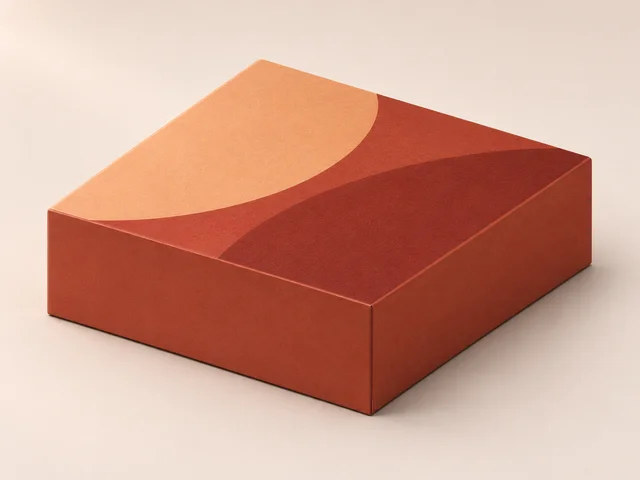
Use this hinged mailer box artwork guide to lay out the lid, walls and lining. Open and close the 3D carton to see how graphics cross the folds.
Share this template
Send this 3D template to a teammate or client.
Where to place artwork on the box template
Use Outside to design the lid and outer walls. Switch to Inside for the lid interior, inner base and inner walls.
Choose a panel in the 2D canvas, then add text or upload an image. Use Locate in 3D to check where the artwork lands on the box.
Preview white paperboard, kraft board, matte coated card or pearlescent paper on the outside, and white paperboard or kraft board on the inside.
Download the SVG layout reference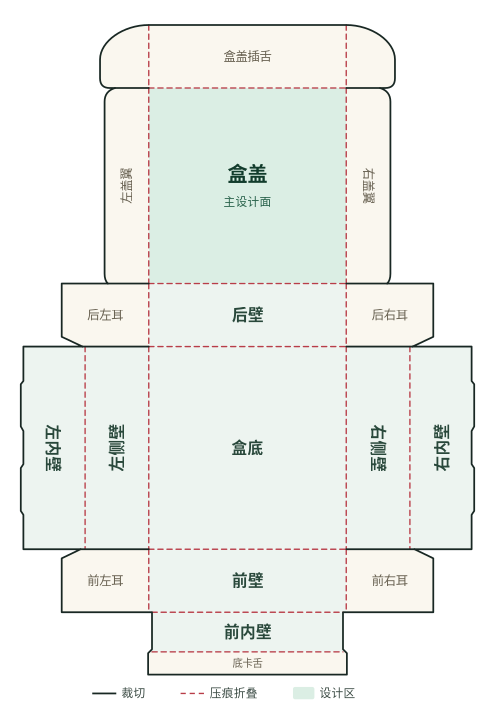
Check the fold in 3D
Original poses
Switch between Closed, Partly open, Open and Flaps extended. The Closed pose shows the seal. Use Open to inspect the artwork inside the box.
Motion preview
Drag the opening slider in either direction or press Play to watch the unsealed lid, tuck and wings move together.
Export your design
- Artwork PNG
- Download the flat artwork for the side you’re editing.
- 3D preview PNG
- Save the current 3D view as an image.
- Design proof PDF
- Share the flat artwork and assembled preview together for review. Confirm dimensions and board specifications before production.
- Textured GLB
- Download the textured model in its current pose for another 3D tool.